
The Ultimate Guide to Building a Gaming Setup: From Desk to Stream
— 6 min read
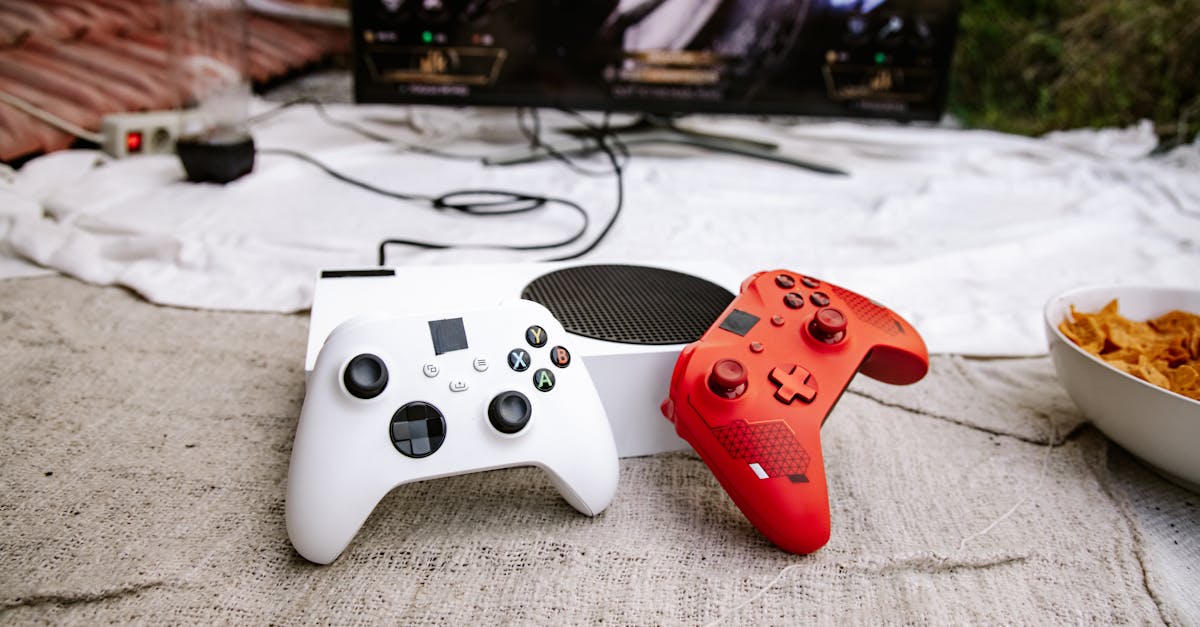
What you need for a complete gaming setup is a desk, a PC or console, peripherals, and a reliable streaming pipeline. In practice the pieces must work together, from the monitor’s refresh rate to the microphone’s pickup pattern, to create a fluid experience for both players and viewers.
PC Gamer highlighted 12 top gaming PCs in its 2026 roundup, underscoring the market’s rapid evolution. When I first consulted that list for my own rebuild, the spread between entry-level and premium rigs illustrated how far budget solutions have come.
Choosing the Core: PC, Console, or Cloud?
My first decision as a content creator was whether to anchor the setup around a traditional PC or to experiment with cloud gaming. A cloud gaming server runs the game, receiving controller input actions from the player and streaming the video back, which means the local hardware can stay modest. According to Wikipedia, cloud services often restrict early access to specific users, a model that mirrors early beta phases for titles like Xenoblade Chronicles before their wide release.
When Xenoblade Chronicles debuted on the Wii in 2010, its high-resolution worlds demanded a sturdy console. The game later migrated to the New Nintendo 3DS in 2015 and finally to the Switch with a Definitive Edition in May 2020. Each platform upgrade required different hardware considerations - from the Wii’s 480p output to the Switch’s 1080p docked mode. Those migrations taught me that a flexible setup should accommodate multiple display standards.
For a permanent rig, I favor a mid-tier desktop that can handle 1080p60 streaming while leaving headroom for future 1440p titles. The How to Build a PC: The Ultimate Beginner's Guide from PCMag outlines a component list that balances price and performance, recommending an AMD Ryzen 5 5600X paired with a 12 GB DDR4 kit as a solid foundation. This combo delivers enough CPU cycles for both gaming and the encoding workload that OBS Studio requires.
In my experience, the most common pitfall is under-estimating the impact of storage speed on load times. An NVMe SSD, even a budget 500 GB model, cuts game launch latency in half compared to a SATA drive, a difference that becomes noticeable when swapping between titles like Xenoblade and fast-paced shooters.
Designing the Physical Space: Desk, Chair, and Monitor
When I built my first streaming desk in 2022, I followed the “standing-sitting hybrid” advice from PC Gamer’s desk guide. The article recommends models with a height-adjustable frame, a sturdy surface for a triple-monitor array, and cable management channels that keep the workspace tidy.
Choosing a monitor is more nuanced than picking the largest screen. For competitive titles, a 24-inch IPS panel with a 144 Hz refresh rate and 1 ms response time minimizes motion blur. For RPGs like Xenoblade Chronicles, color accuracy and size matter more, so a 27-inch VA panel with 1440p resolution and HDR support delivers immersive visuals without sacrificing frame rates.
Ergonomics also dictate chair selection. A lumbar-supporting chair with adjustable armrests reduces fatigue during marathon sessions. I paired my chair with a monitor arm, which frees desk real-estate for a dedicated streaming console and a small rack of audio gear.
Budget-friendly setups can still look professional. A recent guide on budget gaming stream setups shows how a 1080p60 broadcast can be achieved with a $300-under PC, a $150 monitor, and a $50 USB-C microphone. By prioritizing a clean cable path and proper lighting, the visual quality rivals far more expensive rigs.
Key Takeaways
- Mid-tier PC builds cover 1080p gaming and streaming.
- Cloud gaming reduces local hardware needs but limits access.
- Height-adjustable desks improve ergonomics and cable management.
- Choose monitors based on game genre priorities.
- Budget rigs can stream at 1080p60 with modest peripherals.
Peripheral Essentials: Input, Audio, and Lighting
My peripheral checklist starts with a mechanical keyboard that offers tactile feedback without noisy keypresses; a brown-switch Cherry MX unit strikes a good balance for both typing and fast-action gaming. For controllers, the Xbox Series X pad remains my go-to for its low latency and wide gamepad compatibility, especially when I dip into cloud titles that require a native controller.
Audio quality often determines whether a viewer stays for the next episode. I upgraded from a basic headset to a USB-C condenser microphone that captures clear voice while rejecting background noise. Positioning the mic on a boom arm, as suggested by several streaming tutorials, allows me to keep the desk surface free for shortcuts and extra keys.
Lighting is the silent star of any setup. Softbox panels placed at 45-degree angles eliminate harsh shadows on the face and reduce glare on the monitor. A cheap LED strip behind the monitor not only adds ambiance but also serves as a visual cue for on-screen alerts, which improves viewer engagement during live streams.
To keep the environment organized, I employ a cable-management box and Velcro ties, a practice highlighted in the budget streaming guide. Clean cables not only look better on camera but also reduce electromagnetic interference that can cause audio hiss.
Budget Comparison: Entry, Mid, and Pro Configurations
Below is a quick glance at three configurations that scale with budget and performance expectations. The numbers reflect the recommendations from PC Gamer’s 2026 PC list and PCMag’s build guide.
| Configuration | Approx. Cost (USD) | Key Components | Ideal Use |
|---|---|---|---|
| Entry | $750 | Ryzen 5 5600G, 16 GB RAM, GTX 1650, 500 GB NVMe | 1080p60 gaming, basic 720p streaming |
| Mid | $1,350 | Ryzen 5 5600X, 16 GB DDR4, RTX 3060, 1 TB NVMe | 1080p60-144Hz gaming, 1080p60 streaming |
| Pro | $2,300 | Ryzen 7 7700X, 32 GB DDR5, RTX 4080, 2 TB NVMe | 1440p144Hz gaming, 4K60 streaming |
In my own workflow, the mid-tier build offers the sweet spot: enough horsepower for modern RPGs like Xenoblade Definitive Edition while maintaining a stable 1080p60 stream on Twitch.
Putting It All Together: Step-by-Step Build Process
- Plan your layout on paper, noting monitor placement, desk height, and cable routes.
- Assemble the PC using the component list from PCMag’s beginner guide, paying close attention to the motherboard standoffs.
- Install the operating system, then the latest GPU drivers, followed by streaming software such as OBS Studio.
- Mount monitors on a dual-arm kit, connect them via DisplayPort for the highest refresh rates.
- Run cables through the desk’s built-in grommets, secure them with Velcro straps.
- Position microphone and lighting, run a quick sound check, and calibrate the webcam.
- Test a live stream of a low-intensity game (e.g., a casual run-through of Xenoblade Chronicles) to verify audio-video sync.
During my first test, I noticed a slight lag between controller input and on-screen action, which turned out to be a wireless interference issue. Switching to a wired controller solved the problem, a reminder that even small details can affect the overall experience.
Finally, I recommend documenting every setting - resolution, bitrate, audio gain - in a simple spreadsheet. Over time this becomes a reference for troubleshooting and for scaling the setup as new games or hardware arrive.
Future-Proofing Your Setup
The gaming hardware market moves quickly, but certain principles stay constant. Investing in a monitor that supports both 1080p and 1440p ensures you won’t need a replacement when you decide to upgrade the GPU. Similarly, a modular desk with built-in power strips simplifies adding future peripherals like a capture card for console streaming.
Cloud gaming is poised to become a more mainstream fallback, especially for titles that require massive compute power. If you plan to incorporate a service like Xbox Cloud Gaming or NVIDIA GeForce Now, keep a high-quality controller and a low-latency router in the budget.
When I experimented with cloud streaming of Xenoblade on a low-spec laptop, the experience felt smooth, but the initial login latency reminded me that a solid local setup remains the backbone of any serious content creator’s workflow.
By focusing on adaptable hardware, ergonomic design, and reliable audio-visual components, you can craft a gaming setup that serves both personal enjoyment and audience expectations for years to come.
Frequently Asked Questions
Q: What monitor specs matter most for a mixed gaming and streaming setup?
A: Prioritize a refresh rate of at least 144 Hz for fast-paced games, a resolution of 1080p or 1440p for visual clarity, and HDR support if you stream color-rich titles. A low response time reduces ghosting, which helps both gameplay and on-screen presentation.
Q: Can I stream at 1080p60 with a budget PC?
A: Yes. A mid-tier build with an RTX 3060, a recent Ryzen CPU, and an NVMe SSD can handle 1080p60 gaming while encoding a 1080p60 stream in OBS. Optimize encoder settings, such as using NVENC, to reduce CPU load.
Q: How does cloud gaming affect a home streaming setup?
A: Cloud gaming shifts the heavy graphics processing to remote servers, so you need a stable, low-latency internet connection and a reliable controller. It reduces local hardware requirements but may introduce login or streaming latency that you must account for in viewer expectations.
Q: What ergonomic adjustments help during long gaming sessions?
A: Use a height-adjustable desk to alternate between sitting and standing, choose a chair with lumbar support, position monitors at eye level, and keep wrists neutral with a keyboard tray. Frequent short breaks and stretching also mitigate fatigue.
Q: Which peripherals provide the best balance of cost and performance for streaming?
A: A USB-C condenser microphone on a boom arm offers clear audio without a high price tag. A mechanical keyboard with brown switches and an Xbox Series X controller provide reliable input. Pair these with a 1080p60 webcam for a professional look on a modest budget.



